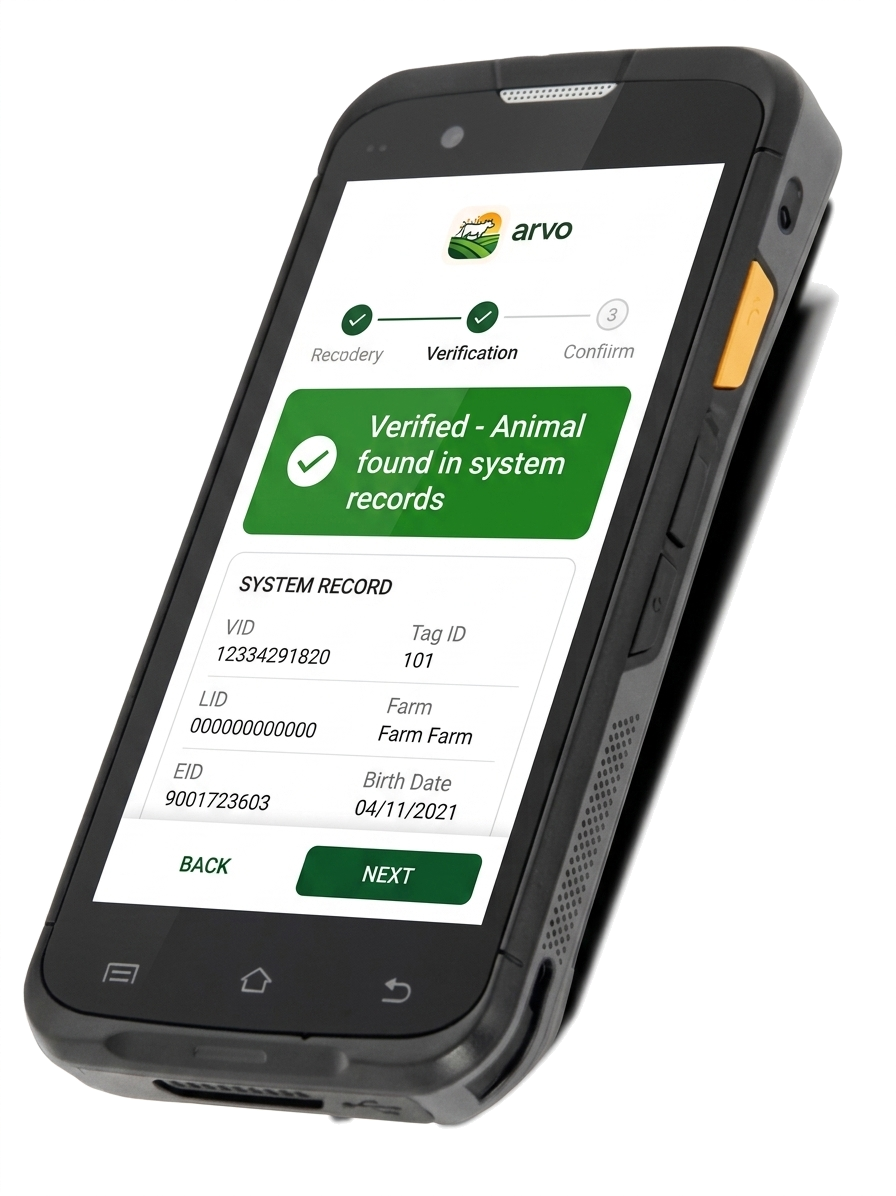
Accurate livestock data capture — fast, simple, and built for the yard.
LWT, BCS, DNA sampling, herd reads & tag updates — all in one mobile tool built for dairy and beef breeding operations.
✨ Now live on the App Store & Google Play — install Arvo today →

Too many tools. Too many steps. Too much room for error.
Most farms juggle three or four pieces of kit just to get through a session. Arvo replaces that with one workflow you can run from a phone in your pocket.
Too many systems
Multiple devices and apps slowing down yard work — paper, scanners, spreadsheets, all out of sync.
Errors creeping in
Manual entry and disconnected tools mean wrong tags, missed weights, and rework after the fact.
Hard to onboard staff
New hands lose hours just figuring out which tool to pick up — never mind doing it right.
Data lag
What you capture in the yard isn't usable until someone gets back to a desk and uploads it.
One simple app for all livestock recording tasks.
Arvo brings everything into a single workflow so you can capture, verify, and report while you work — not after.
Live Weight (LWT)
Capture weights in real time with clean session tracking — no double-keying, no lost rows.
Body Condition Score
Record BCS as you move through mobs. Preset scores, fast tap entry, full session history.
DNA Sampling
Lock the right sample to the right animal at the point of capture — no mismatches downstream.
Herd Reads
Scan and verify animal IDs instantly. Works with EID readers or manual entry — your call.
Tag Updates
Replace and update animal IDs accurately. Clean, structured fields — no re-typing into another system.
Mobile First Workflow
Built to run from a phone in the yard. No tablets, no laptops, no extra hardware required.
You bring the data. We give you the tool.
Arvo is independent and provider-neutral. You stay in control of your records — we just make them easy to work with in the yard.
Bring your own records
Download your animal data from your existing provider — or email our support desk for a hand.
Import to Arvo
Drop your CSV into Arvo. EID, LID and Management Tag — verified and ready to use on-farm.
Work in the yards
Scan, weigh, score, sample. EID reader or manual entry — records build live as you work.
Export when you're done
Review your session and export the CSV yourself — share with your vet, livestock representative or office on your terms.
Need a hand getting started? Email our support desk at support@getarvo.co.nz and we'll get your data ready.
Real screens. Real workflows. Built for your phone.
Big tap targets, plain words, and clear colour-coding so the right action is obvious — even with gloves on, even at the back of the yard.
← Swipe to explore all 8 screens →
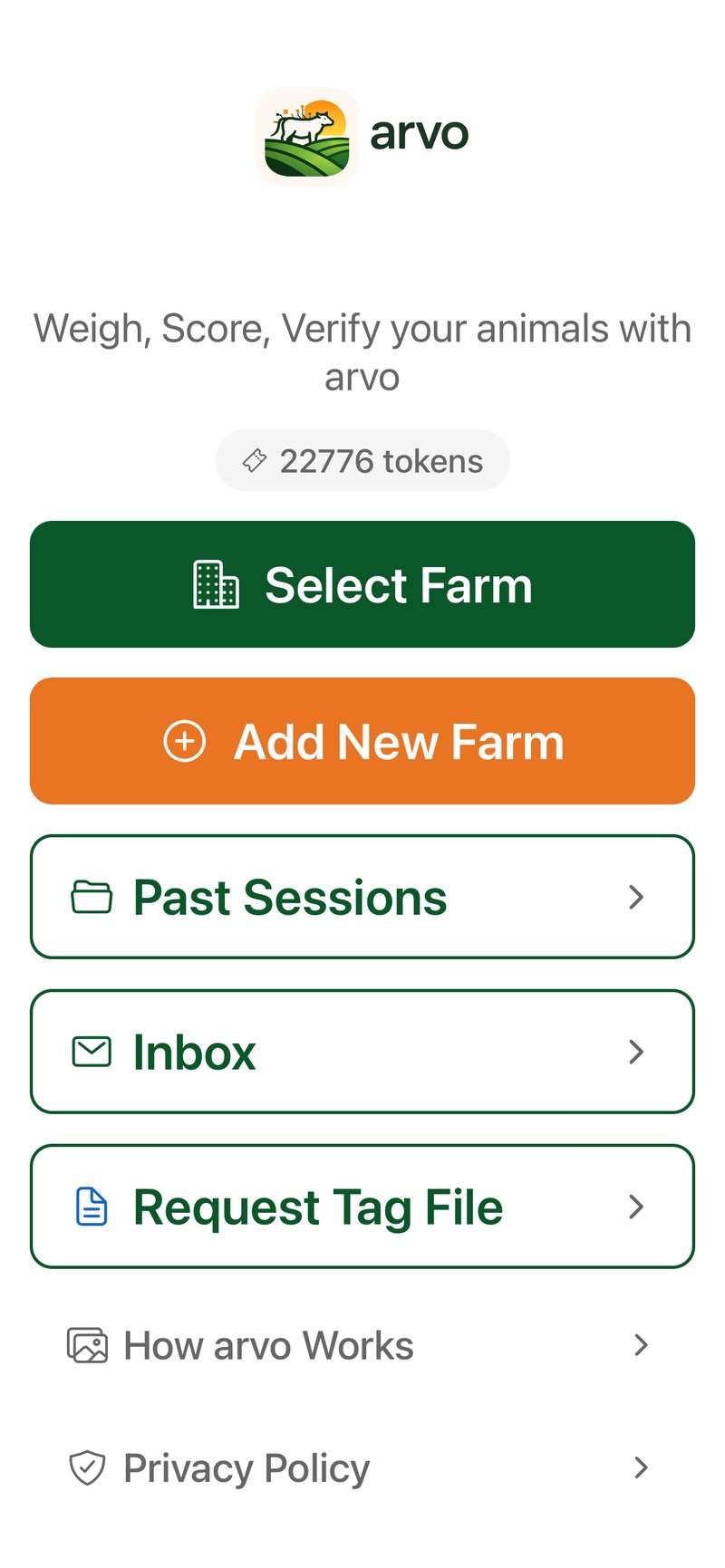
Your farms, herds and recent sessions in one place. Pick up where you left off in a single tap.
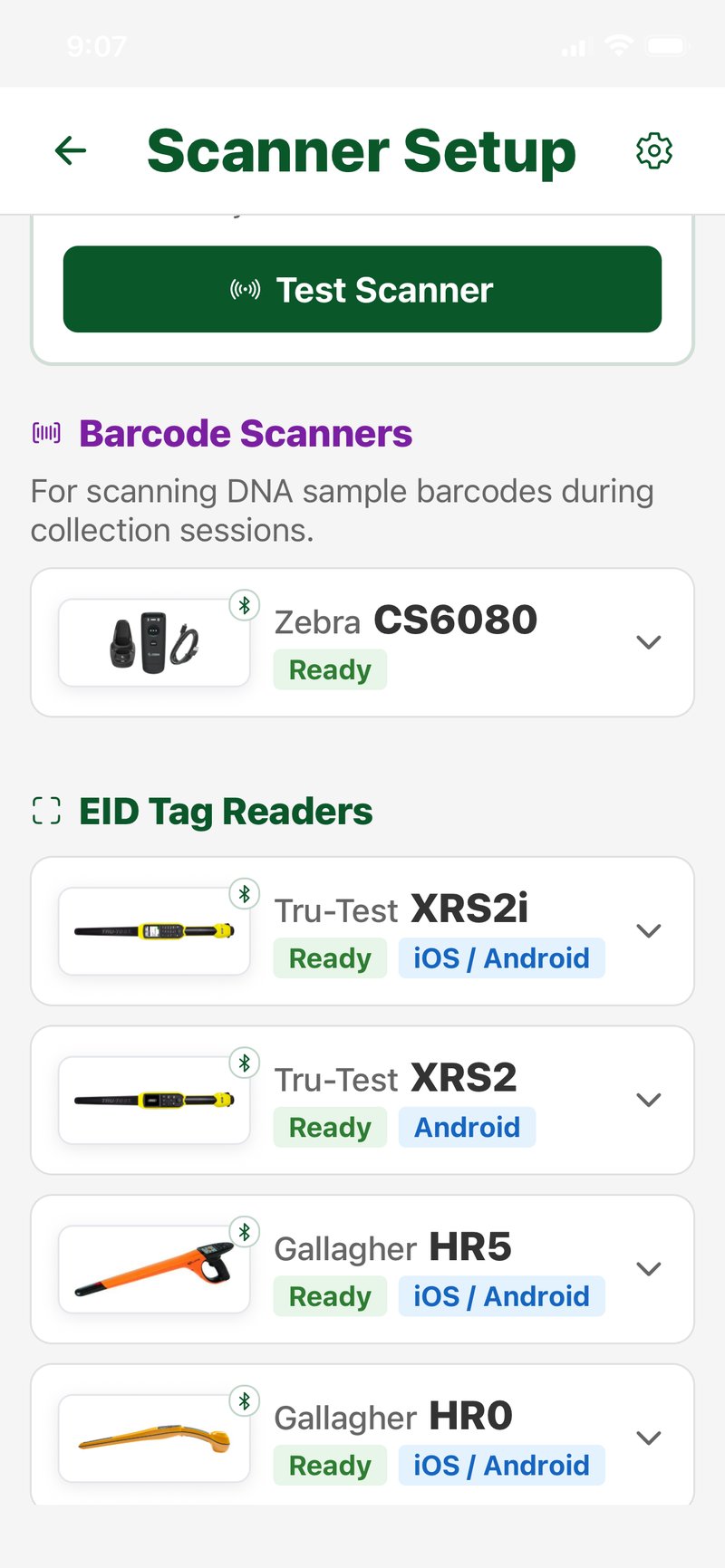
Pair your Tru-Test, Gallagher or Zebra reader once, hit test, and you're ready. Bluetooth handled for you.
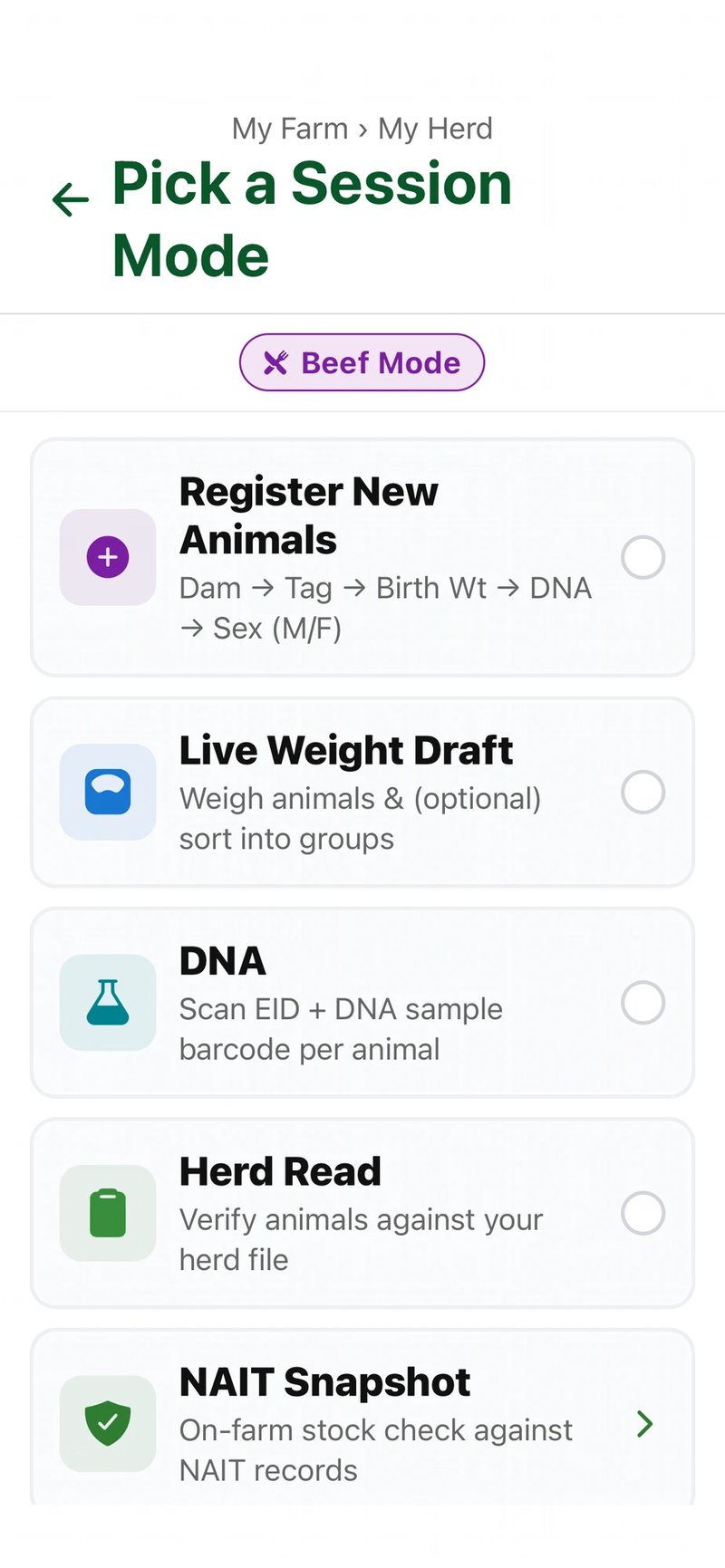
Flip to Beef Mode or Dairy Mode, then pick from Register New Animals, Live Weight Draft, DNA, Herd Read or NAIT Snapshot — the workflow builds itself.
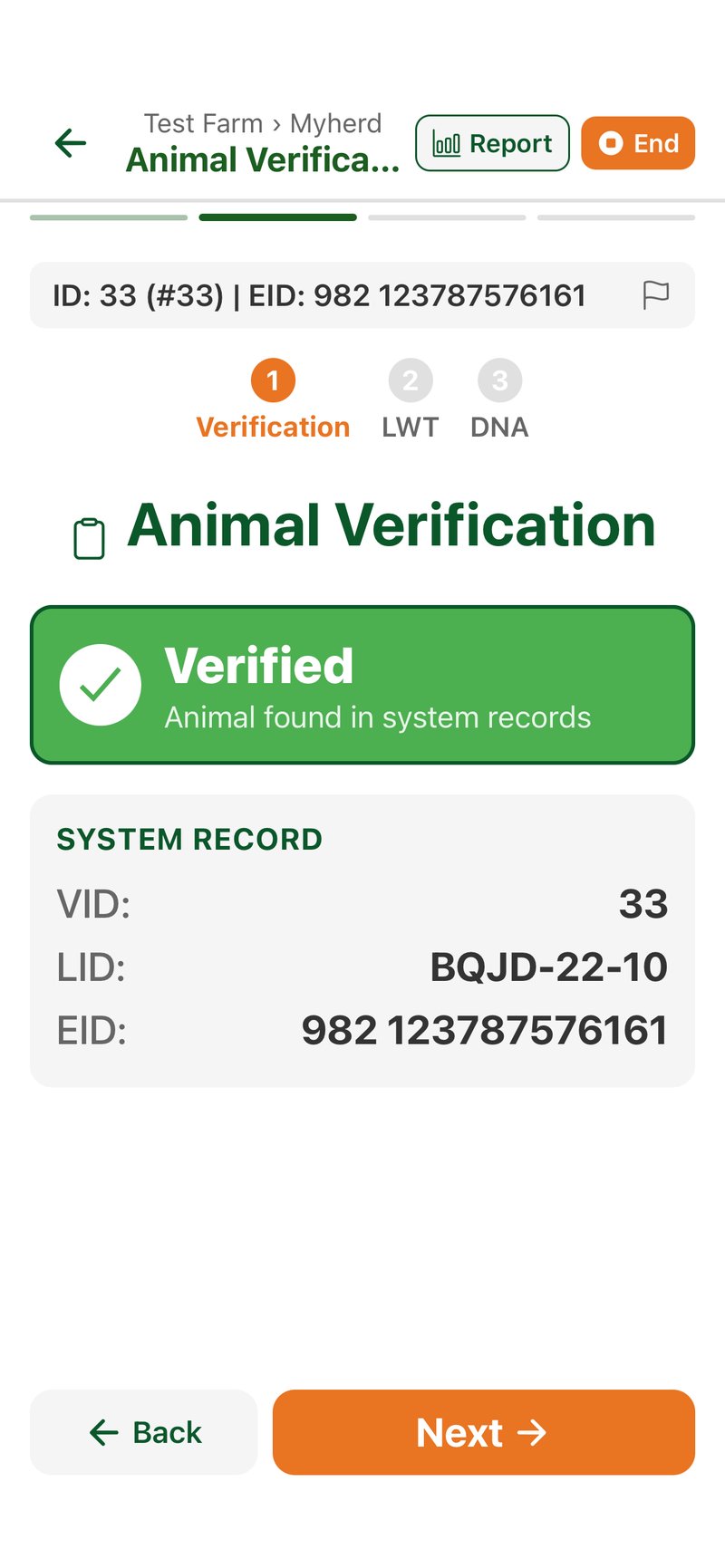
Scan the EID and Arvo matches it against your system record instantly — VID, LID and EID confirmed before you record a thing.
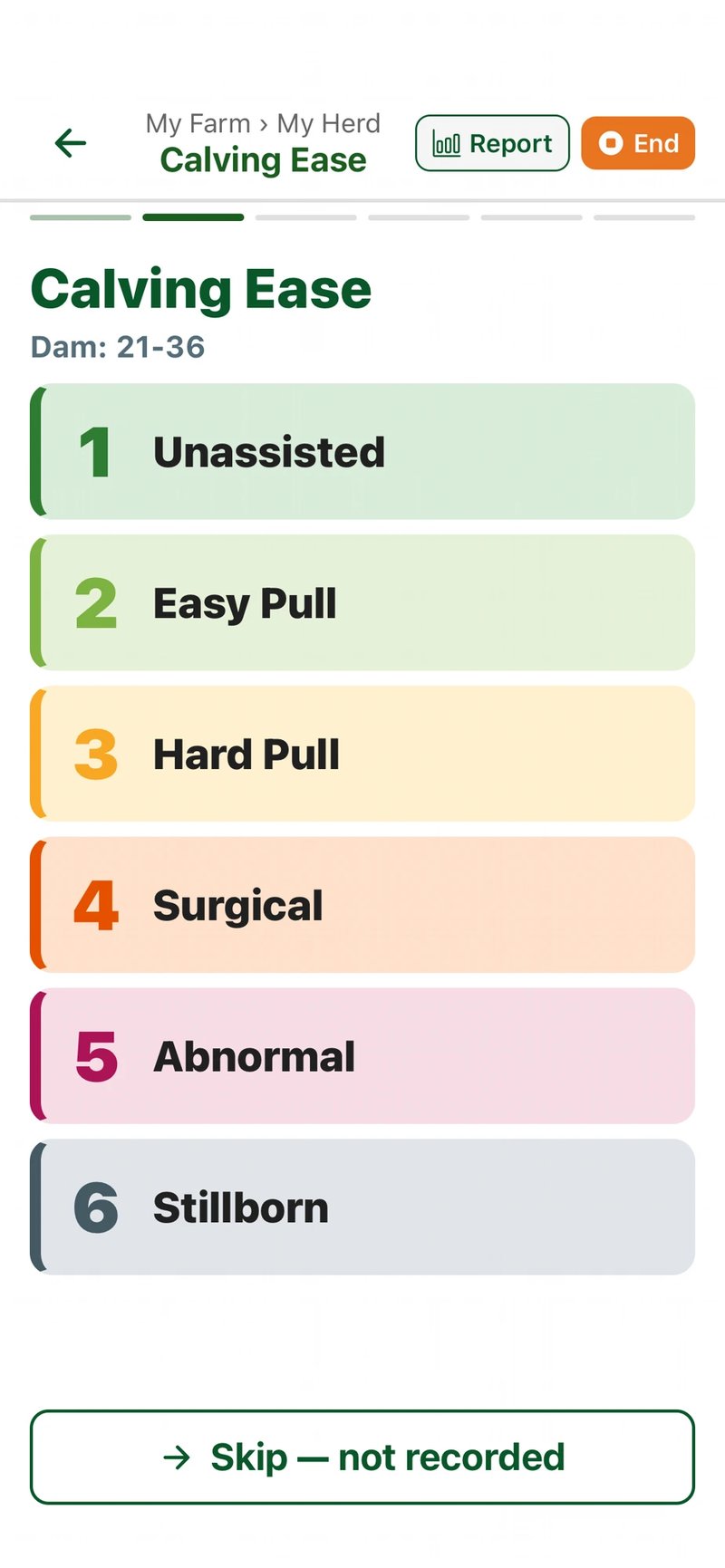
Log calving outcome in one tap: Unassisted, Easy Pull, Hard Pull, Surgical, Abnormal or Stillborn — colour-coded, dam-linked, done.
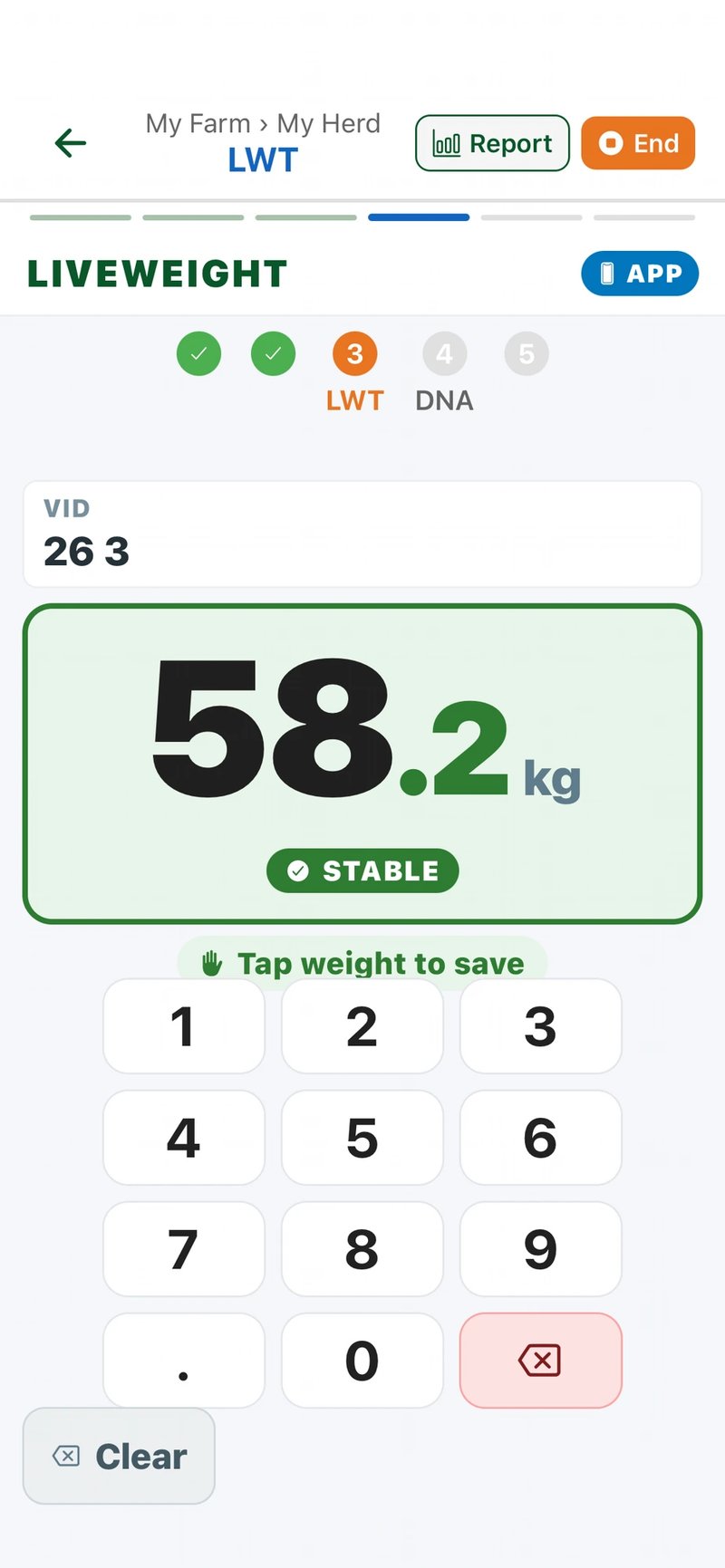
Auto-capture from your Bluetooth scale with a stable-weight indicator, or type it in — big numbers, big buttons, gloves-friendly.
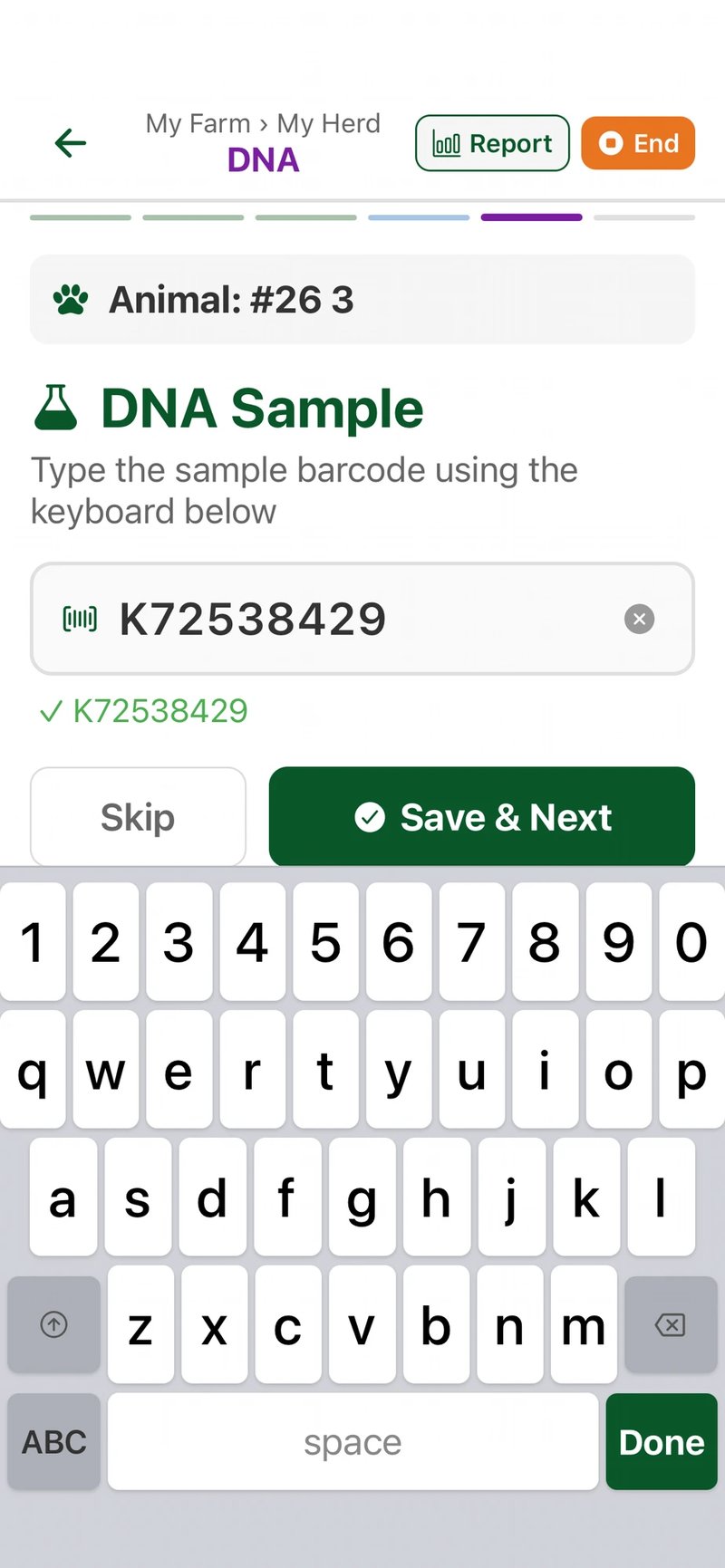
Type or scan the sample barcode, Arvo links it to the right animal with auto-validation — lab-ready CSV out at the end.
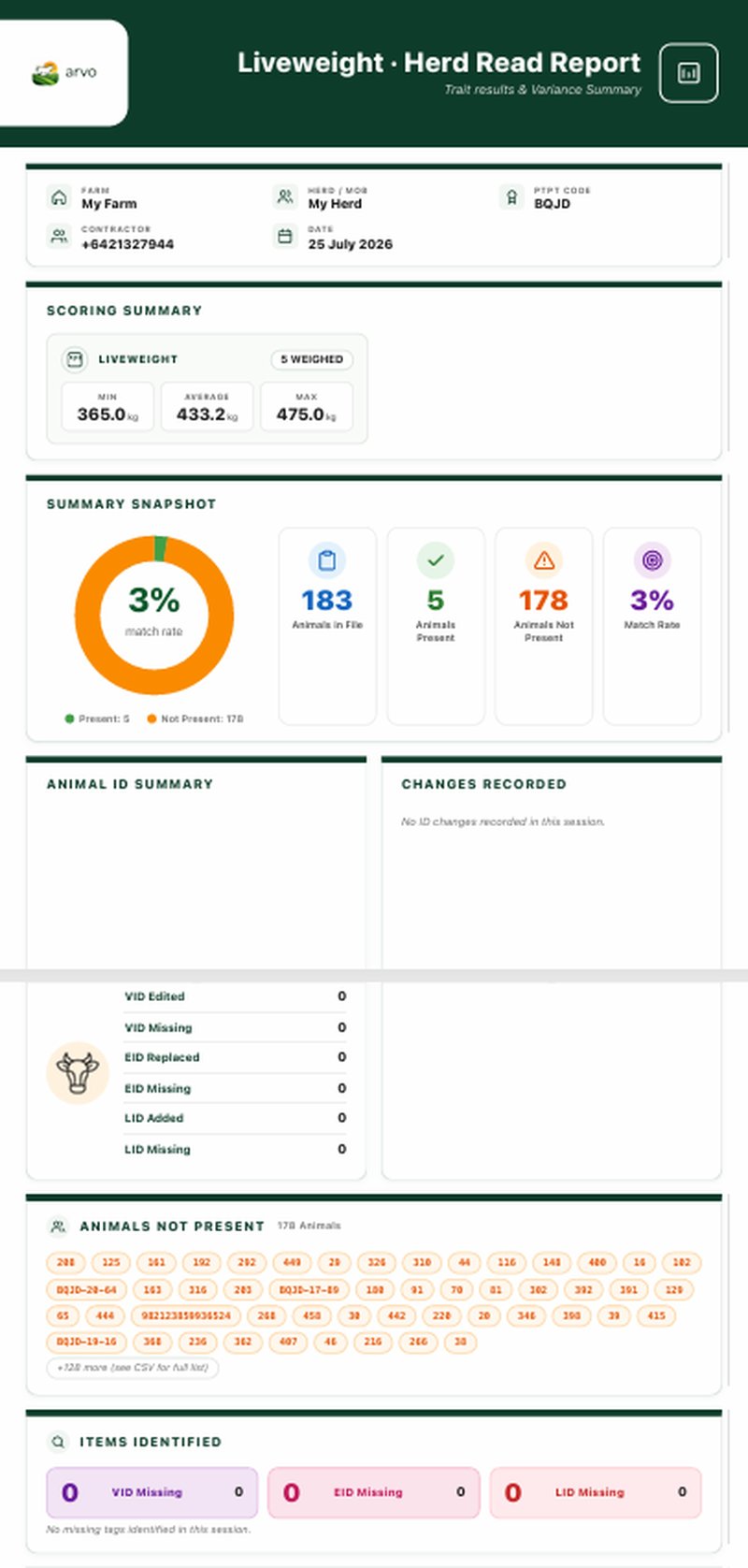
One clean Liveweight · Herd Read report at the end — scoring summary, match-rate donut, animal ID counters, animals-not-present list, and CSV exports ready to share.
Get Arvo on your phone today.
Arvo is live on both Google Play and the App Store. Tap the badge for your phone, or scan the QR code with your camera to install in seconds.
Scan to install Arvo
Open your phone's camera and point it at the code.
Tap the link — your iPhone heads to the App Store, your Android heads to Google Play.
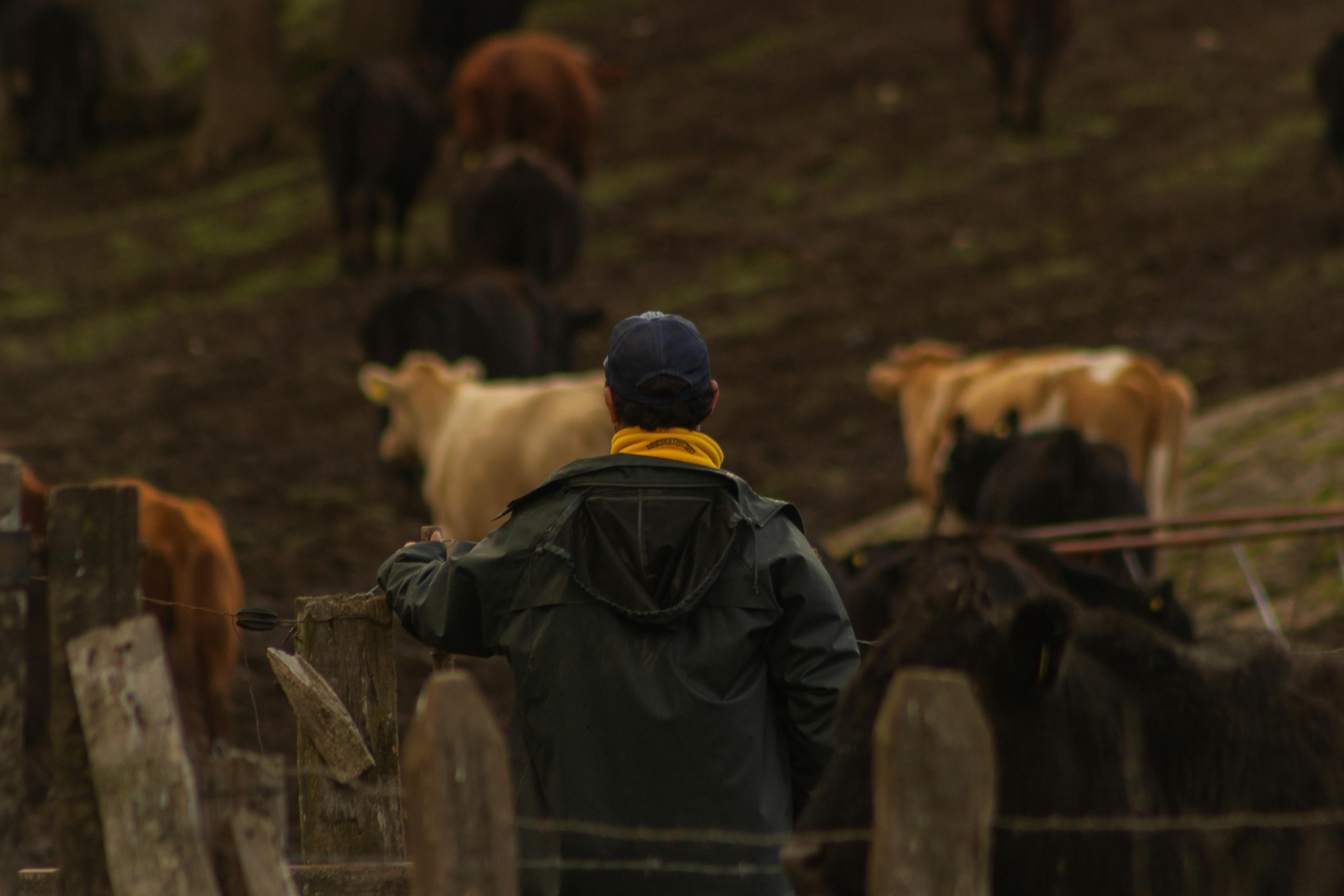
"Built with farmers and service providers in mind."
Set up for dairy and beef breeding operations.
Built for the yard, not the office.
Every decision in Arvo started with a question: does this make the session faster, more accurate, or easier on the crew?
Accuracy first
Right animal, right record, every time. EID and visual checks, locked at the point of capture.
Faster yard sessions
Less stopping, less rework, more throughput. Crews move with the mob, not against it.
Easy onboarding
New staff can use it with minimal training. Big buttons, plain words, no manual required.
Works both ways
Use your existing EID reader or fall back to manual entry — dual mode, your call on the day.
Real-time reporting
Data builds as you go. Reports are ready when the gate closes — not three days later.
Farm It Forward
Fund your rural club, school or community group.
Every session your members and families run through Arvo puts a slice back into your community — no bake sales required.
Designed in mind
Built for farmers & service providers
Both ready
Dairy & Beef
Bring your data
Provider neutral
No coverage? Fine.
Works offline
Want to see Arvo in action?
Independent, provider-neutral, and built with farmers and service providers in mind. Get a walkthrough or send us a question — a real person on the team will reply.
See it working in real yards
We'll set up a short walkthrough at a time that suits the season.
Got a specific question?
Drop us a message — a real person on the team will reply.